



1. UNO Party Card Game Overview
UNO Party Card brings the familiar color-matching card race into a competitive browser setting with friends, AI, and online opponents. Every player tries to empty a hand by matching the top discard by color, number, or action symbol. The rules are approachable, but action cards and hidden information ensure that a lead can change within one turn.
Skip, Reverse, and Draw Two cards reshape the order of play and interrupt opponents. Wild-style color changes, when provided by the current deck, let a player redirect the match toward a stronger part of the hand. The source emphasizes memory and prediction: cards already played, colors opponents avoid, and remaining hand sizes all offer clues. A player who appears close to winning can be targeted with a carefully timed action, while someone holding many cards may quietly retain several powerful responses.
The game supports several styles of competition. Players can practice against AI, enter matches with random online rivals, or challenge friends. Points and a global leaderboard add a longer competitive goal beyond a single round. UNO Party Card is ideal for social card-game fans because no complex tutorial stands between players and the first match, yet repeated play rewards timing and observation. It preserves the laughter and reversals of a party table while making the cards available instantly in a desktop or mobile browser.
Key Details:
| Genre: | Multiplayer Card / Shedding / Strategy |
| Difficulty Level: | Easy to learn, Variable online |
| Average Play Time: | 5–15 minutes |
| Best For: | UNO fans, friend groups, families, and casual online competitors |
2. How to Play UNO Party Card
Getting Started:
- Choose AI, friend, or online opponent play from the available menu.
- On your turn, select a card matching the discard's color, number, or symbol.
- Draw a card when no legal option is available.
- Use action cards to change turn order, skip rivals, or increase their hands.
- Play every card in your hand before the other participants.
Basic Controls:
- Mouse: Click a playable card and on-screen controls.
- Touchscreen: Tap cards, draw controls, and menu options.
Objective: Empty your hand first, earn the round result, and build points or leaderboard progress.
3. UNO Party Card Features & Highlights
- ✓ AI, friend, and random online play support several match styles
- ✓ Familiar color-and-number rules make joining a round easy
- ✓ Action cards create tactical reversals and direct interaction
- ✓ Points and leaderboard competition provide long-term motivation
- ✓ HTML5 delivery supports play without a separate download
4. UNO Party Card Tips & Strategies
Beginner Tips:
- Keep cards in several colors so one change does not block the whole hand.
- Check each opponent's remaining card count before choosing an action target.
- Save at least one flexible card for the final turns.
Advanced Strategies:
- Remember colors that force a rival to draw and return to them later.
- Use Reverse and Skip according to turn order rather than playing them automatically.
- Change to the color that supports a sequence of cards in your own hand.
What to Watch Out For:
- Using every action card early leaves little defense against a nearly finished opponent.
- Focusing on one rival can allow another player to reach one card unnoticed.
5. UNO Party Card Game Elements Explained
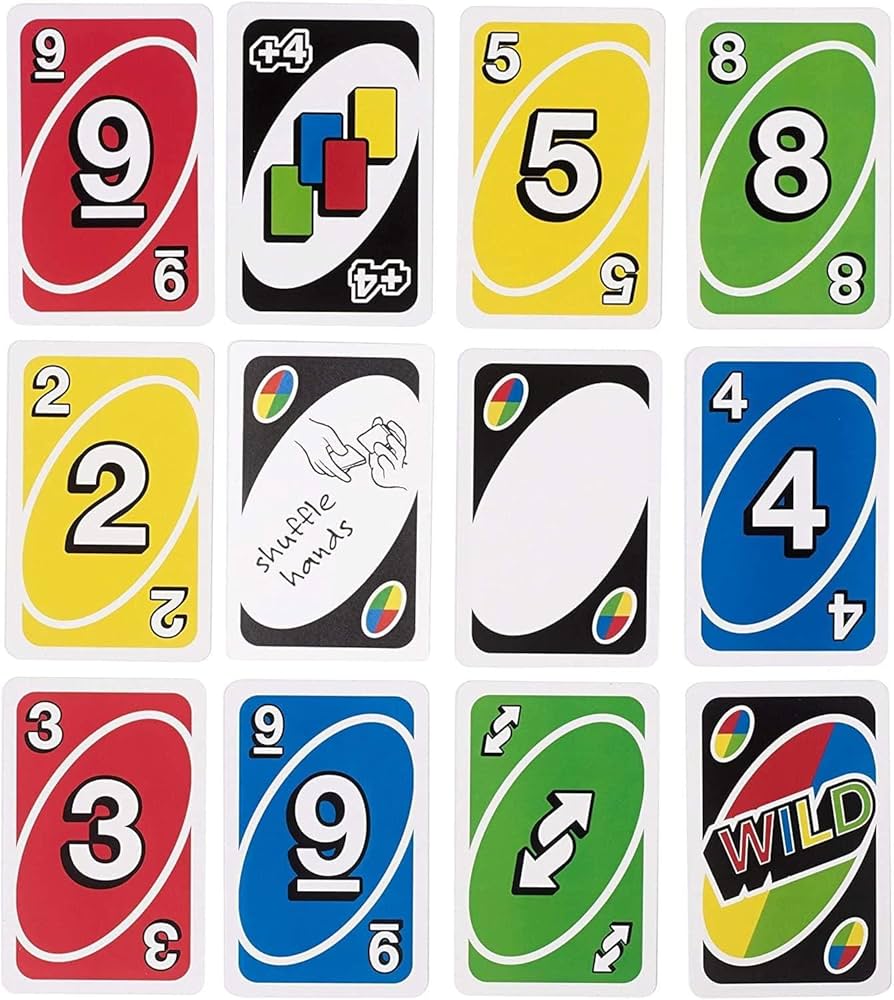
Matching Rules and Hand Reduction: A normal card can be played when its color or number matches the active discard. An action card may also match by symbol according to the current state. If no legal card exists, the player draws as directed by the game. The basic goal is reduction, but not every legal discard is equally useful. A hand with many cards in one color can be played quickly if that color remains active, yet it becomes vulnerable when a rival changes the color. Preserve connections between cards so one play leads naturally to the next. High hand count is not the only measure of position; card flexibility matters. A player holding three unrelated colors and a wild option may be safer than someone with two cards that cannot match. As the round narrows, watch turn order and avoid leaving a rival an uncontested action. If the interface includes a last-card declaration, respond to its prompt. The winning sequence is usually planned several turns before the final card.
Action Cards, Prediction, and Competitive Progress: Skip removes a turn, Reverse changes direction, and Draw Two adds pressure to the next eligible player. Their strength depends on who acts afterward. A skip aimed at someone with one card can prevent an immediate loss, while the same card against a large hand may have little impact. Reverse is defensive when it redirects play away from a threat and offensive when it returns control sooner. Card memory supports these decisions. Note which colors have appeared frequently, what a player chose after a wild, and when someone was forced to draw. These clues never reveal a full hand, but they improve color choices. The source also mentions points and a global leaderboard. Long-term success therefore comes from consistent round play rather than one lucky deal. Practice against AI to learn effects, then bring that knowledge into friend or random matches. Online competition can vary in strength, so protect personal information and focus on the card state shown by the game.
6. UNO Party Card Frequently Asked Questions
Q: How do I play a card?
A: Click or tap a card that matches the active color, number, or action symbol. Illegal cards remain unavailable.
Q: What should I do if I cannot make a legal play?
A: Use the draw control and follow the game's prompt for whether the new card can be played immediately.
Q: Is UNO Party Card compatible with mobile and desktop browsers?
A: Yes. The original page lists Web Browser support for PC and Android/iOS mobile devices.
Q: Can I save my progress?
A: Leaderboard or point data may be retained by the game's systems, but an active round should be completed in one session. Cloud-save details are not documented.
Q: How do I unlock online opponents?
A: Select the random online or friend option from the match menu. The source presents these as play modes rather than earned unlocks.