

1. Master Chess Game Overview
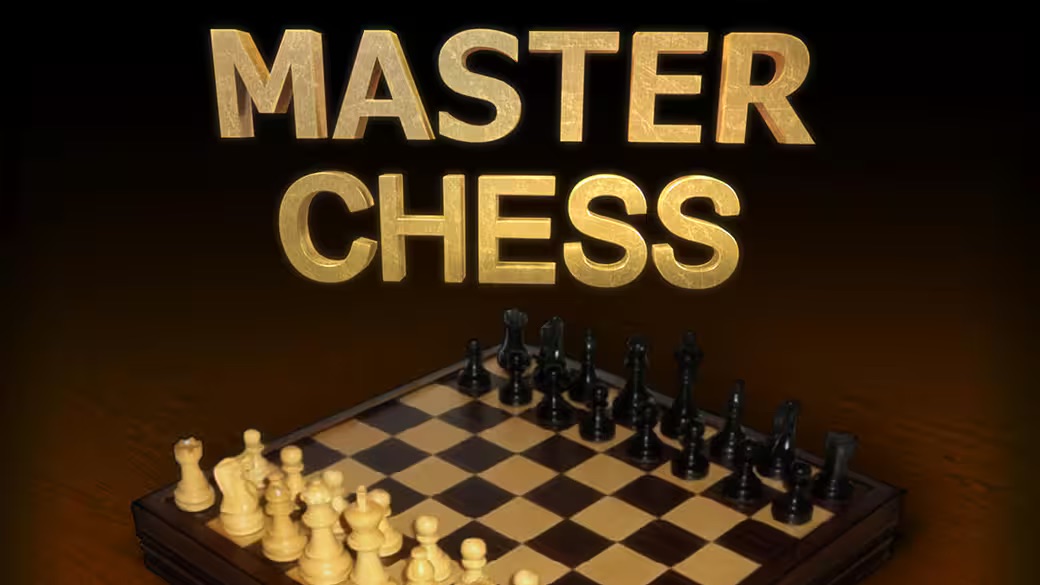
Master Chess is a thoughtfully designed online chess platform that brings one of history's greatest strategy games into a modern, accessible digital format without sacrificing any of its depth. Whether you're learning your first moves, developing your opening repertoire, or searching for a strong AI opponent to test your endgame technique against, Master Chess has a mode and difficulty setting calibrated to your current level.
The game's strongest selling point is its range. AI difficulty spans from genuinely beginner-friendly (where new players learn the rules and piece movements without being immediately overwhelmed) to expert-level (where even experienced players will find a formidable, strategically intelligent opponent). This spread means Master Chess grows with you: a game you start at easy difficulty is still the same game that will challenge you months later at its highest settings.
Multiplayer options extend the experience into the social dimension. Playing online against opponents from around the world delivers the unpredictability and competitive excitement that AI can approximate but never fully replicate. The local two-player mode on the same device preserves the intimate, face-to-face quality of chess as a shared activity — ideal for playing against a friend, partner, or family member sitting across the table.
The interface is clean and the move experience is smooth — no friction between thinking of a move and executing it. For beginner players, move hint assistance provides gentle guidance without dictating decisions. The result is a chess implementation that serves both the serious player focused entirely on strategy and the casual player who just wants a clean, responsive game.
Key Details:
| Genre: | Strategy / Board Game / Chess |
| Difficulty Level: | Variable (multiple AI difficulty settings) |
| Average Play Time: | 10–60 minutes per game |
| Best For: | Chess players of all skill levels; ideal for skill development against AI and competitive play against human opponents |
2. How to Play Master Chess
Getting Started:
- Select your preferred mode: AI opponent (choose difficulty), local two-player, or online multiplayer.
- The game opens with the standard chess starting position — White moves first.
- Click a piece to select it — valid destination squares are highlighted.
- Click your desired destination to complete the move.
- Play until checkmate, resignation, draw agreement, or time expiration.
Basic Controls:
- Click to Select: Click a piece to select it and see valid move destinations.
- Click Destination: Click a highlighted square to move the selected piece there.
- Move Hints (Beginners): The game may suggest moves for new players learning optimal piece placement.
Objective: Checkmate the opponent's king — place it in a position where it cannot escape capture on the next move. Win through superior piece coordination, tactical combinations, and strategic positioning across all phases of the game.
3. Master Chess Features & Highlights
- ✓ Multiple AI difficulty levels — from beginner-accessible to expert-challenging, spanning the full skill range
- ✓ Online multiplayer — compete against real opponents worldwide for authentic competitive chess experience
- ✓ Local two-player mode — same-device play for face-to-face chess with friends or family
- ✓ Move hint assistance — optional guidance for beginners learning piece movements and positioning
- ✓ Clean, intuitive interface — smooth piece movement that keeps focus on strategy rather than mechanics
4. Master Chess Tips & Strategies
Beginner Tips:
- Control the center. The four central squares (e4, e5, d4, d5) are the most strategically valuable on the board. Pieces controlling the center have more mobility and influence than those on the edges. Open with pawns and pieces that contest these squares.
- Develop all your pieces before attacking. Launching an attack with only two or three pieces rarely succeeds against a player whose full army is active. Get your knights and bishops out before moving any piece twice or creating complex tactical sequences.
- King safety first. Castle early to move your king to safety. An exposed king is vulnerable to attacks that can appear faster than you expect — especially in the middlegame when many pieces are still active.
Advanced Strategies:
- Study standard opening principles. You don't need to memorize 20 opening variations, but knowing the first 5–8 moves of two or three solid openings deeply is more useful than knowing 3 moves of many. Master Chess's AI opponent will test your opening preparation from the very first move.
- Calculate forcing sequences before playing them. Tactics — forks, pins, skewers, discovered attacks, back-rank mates — only work when calculated correctly. Before playing a tactical sequence, visualize the full response chain from your opponent. Miscalculated tactics often backfire severely.
- Endgame fundamentals matter more than most players realize. Many games between intermediate players are decided by endgame technique rather than opening or middlegame brilliance. Learning basic king and pawn endgame principles — opposition, the square rule, pawn promotion races — converts drawn or winning endgames that untrained players lose.
What to Watch Out For:
- One-move threats you didn't see coming. Chess rewards vigilance — before every move, ask yourself "can my opponent do anything immediately dangerous?" A missed one-move mate or piece win can reverse a winning position instantly. Build the habit of checking your opponent's threats before executing your own plans.
- Time pressure in timed formats. If playing with a clock, poor time management in complex middlegame positions is as dangerous as poor piece management. Allocate more time to critical decisions and less to routine moves — don't spend five minutes on obvious responses.
5. Master Chess Game Elements Explained
The AI Difficulty Spectrum: Master Chess's AI opponent is designed across a meaningful range of skill levels rather than offering a single "computer" difficulty. At the easiest settings, the AI makes mistakes, misses tactical opportunities, and plays moves that a beginner can successfully counter — making it a genuine learning environment where good play is rewarded without overwhelming difficulty. At higher settings, the AI plays principled chess: sound openings, accurate tactical calculation, and strategically coherent middlegame and endgame play. The highest difficulty levels provide a formidable challenge for experienced players, serving as a tool for testing specific strategic ideas or endgame techniques against an opponent that won't overlook errors. Selecting the right difficulty level — challenging but not crushing — is the most important setup decision for productive AI practice sessions.
The Multiplayer System: Master Chess's online multiplayer mode connects you with human opponents worldwide for real-time competitive chess. Human opponents provide something AI cannot replicate: genuine unpredictability. A human player might try an unusual opening, sacrifice material unexpectedly, play for complications in a position the AI would simplify, or make blunders under time pressure. These human qualities make online play more varied and socially engaging than AI practice, and they develop different skills — reading opponent psychology, managing your own emotional responses, and performing under competitive pressure. The local two-player mode on the same device preserves the immediate, face-to-face quality of the physical chess experience, making Master Chess useful as a digital chess board for opponents sharing a screen.
The Move Hint System: For beginners still learning how pieces move and which squares they can legally target, Master Chess offers optional move hints that highlight legal destination squares when a piece is selected, and may suggest strong candidate moves to consider. This assistance serves as a gentle scaffold for new players rather than a replacement for strategic thinking — it shows you the space of possibilities without dictating the correct choice. The hint system is particularly valuable for players who know the rules in principle but still need visual confirmation of specific piece movements (especially knights, whose L-shaped movement is the most counterintuitive for new players). Experienced players can disable hints entirely to focus on independent calculation.
6. Master Chess Frequently Asked Questions
Q: How do I move a chess piece?
A: Click the piece you want to move to select it — valid destination squares typically highlight automatically. Click your chosen destination square to complete the move.
Q: Which AI difficulty level should I start with?
A: Start at a level where you win roughly 40–60% of your games. A difficulty where you always win isn't challenging; one where you always lose isn't instructive. Adjust until you're competing genuinely — then move up when your win rate consistently exceeds 60%.
Q: Can I play against a friend on the same device?
A: Yes — local two-player mode allows two players to take turns on the same device. One player controls White, the other controls Black, passing the device (or sharing a screen) between moves.
Q: What are move hints and should I use them?
A: Move hints highlight legal destination squares and may suggest strong moves. They're recommended for players still learning piece movements. As you develop, reducing hint reliance builds independent calculation ability — the core skill that determines chess strength.
Q: What's the best way to improve at chess using Master Chess?
A: Play at a difficulty that challenges you without overwhelming you, analyze games where you lose to identify the specific mistake that cost the game, and deliberately practice the aspects of your game (opening, tactics, endgame) where your losses most commonly originate. Consistent practice at the right difficulty level produces faster improvement than either playing too easy or too hard.