
1. Block Blast Game Overview
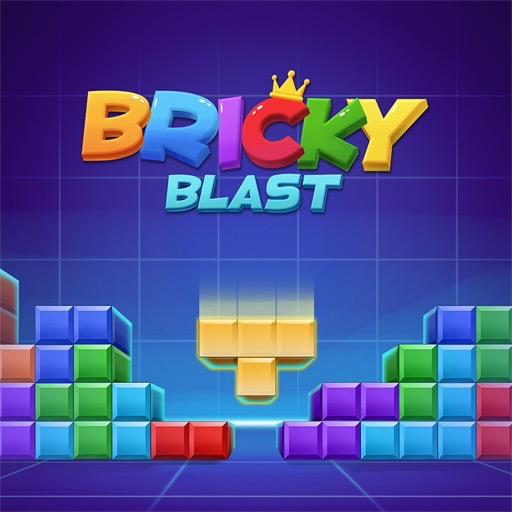
Block Blast is a colorful grid puzzle about fitting geometric pieces into limited space and clearing complete lines before the board becomes unusable. The player receives block shapes, drags them onto open cells, and tries to fill uninterrupted horizontal or vertical rows. Completed lines disappear, create room for future pieces, and add to the score. The run ends when none of the available shapes can fit.
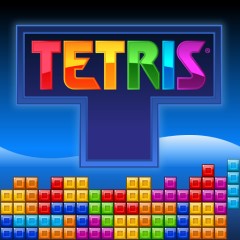
The game borrows the satisfying line-clearing idea associated with Tetris but removes the pressure of controlling continuously falling pieces. Placement is deliberate: you choose both the piece and its location. That makes each move a small spatial-planning problem. A shape that scores immediately may create awkward holes, while a quieter placement can prepare several rows to clear together. Colorful blocks, responsive effects, and combo rewards give successful turns a strong sense of payoff.
Block Blast is approachable because there is no complicated movement system or long tutorial. Dragging one shape is enough to understand the basic rule. The difficulty emerges naturally as open space shrinks and larger pieces become harder to place. Players who want a calm puzzle can take time to inspect the grid, while score chasers can pursue efficient multi-line clears and long survival streaks. It works especially well for short breaks, but the constant question—“Can I make room for one more set?”—can easily turn a brief attempt into a longer high-score run.
Key Details:
| Genre: | Block Puzzle / Spatial Strategy |
| Difficulty Level: | Variable |
| Average Play Time: | 5–20 minutes |
| Best For: | Tetris fans, casual puzzle players, and high-score chasers |
2. How to Play Block Blast
Getting Started:
- Inspect the open grid and the block shapes currently available.
- Click or tap a shape, then drag it to a legal group of empty cells.
- Fill complete horizontal or vertical lines to clear those blocks.
- Use the new space to place increasingly awkward shapes.
- Continue scoring until no available piece can fit anywhere on the board.
Basic Controls:
- Mouse: Click and drag a block onto the grid.
- Touchscreen: Press, drag, and release a piece over valid cells.
Objective: Keep the grid playable for as long as possible by completing lines, creating combos, and avoiding gaps that cannot accept future shapes.
3. Block Blast Features & Highlights
- ✓ Drag-and-drop placement gives players time to plan every move
- ✓ Horizontal and vertical line clears reward balanced board building
- ✓ Colorful effects make combinations easy to read and satisfying to complete
- ✓ Combo scoring creates an extra goal beyond simple survival
- ✓ Endless puzzle flow supports quick sessions and repeat high-score attempts
4. Block Blast Tips & Strategies
Beginner Tips:
- Keep the center open so large or irregular pieces have several possible placements.
- Build both rows and columns instead of filling only one direction.
- Avoid creating isolated single-cell holes that few shapes can repair.
Advanced Strategies:
- Prepare intersecting lines and clear both with one well-positioned piece.
- Compare every available shape before placing the easiest one.
- Maintain a few open rectangular zones rather than one fragmented empty region.
What to Watch Out For:
- Clearing one line immediately can be worse than preserving a setup for a larger combo.
- Packing blocks against random edges may create narrow channels that larger shapes cannot use.
5. Block Blast Game Elements Explained
Block Placement and Board Space: Each shape occupies a fixed arrangement of cells, and placement is legal only when every required cell is empty and inside the grid. Because pieces do not fall automatically, the board records the consequences of your own spatial choices. Open area alone is not enough; its shape matters. Ten disconnected empty cells may be useless to a solid square, while a clean rectangular zone can accept many possible pieces. This is why smooth edges and connected spaces are valuable. Before releasing a block, imagine the silhouette left behind. Does the placement form a nearly complete line, preserve the center, and leave common shapes usable? Or does it create a pocket that only one rare piece can fill? Use corners and edges deliberately, building outward in compact groups rather than scattering blocks. When several pieces are available, plan them as a set. One may clear space needed by another, and the order can determine whether both fit. Long runs come from treating empty space as a resource with structure, not simply counting how much remains.
Line Clears, Combos, and Scoring: A horizontal or vertical line clears when every cell across that line is filled. The removed blocks free space immediately and award points. Completing multiple lines with one placement is more efficient because a single shape performs several jobs, and the source page highlights a combo system that rewards these sequences. Intersections are especially useful: if one final piece completes a row and a column at the same time, both disappear and open a cross-shaped area. Combo planning begins before the final move. Build several lines to near completion, but avoid blocking the exact cells required to finish them. Balance is important because keeping too many unfinished rows consumes room and can end the run before the payoff arrives. Scoring should support survival rather than replace it. A flashy clear that leaves the grid fragmented may produce fewer total points than a modest line that restores useful space. Read the available shapes, identify the most constrained one, and use line clears to create a board where that piece—and the next unknown set—still has realistic placements.
6. Block Blast Frequently Asked Questions
Q: How do I place a block?
A: Click or press the shape, drag it over a group of empty grid cells, and release when the placement preview shows a valid position.
Q: What should I do if a large piece will not fit?
A: Check whether another available shape can complete a line and clear space first. If not, protect larger open regions earlier in the next run.
Q: Is Block Blast compatible with mobile and desktop browsers?
A: The game uses drag controls and is designed for browser play. A mouse or responsive touchscreen can operate the board.
Q: Can I save my progress?
A: The source page does not document cloud saving. High scores may be stored locally by the game, but an active run should be completed before closing the page.
Q: How do I unlock combos?
A: Combos are gameplay results, not a separate mode. Complete multiple lines together or maintain successive effective clears when the version recognizes a streak.