
1. Bricky Blast Game Overview
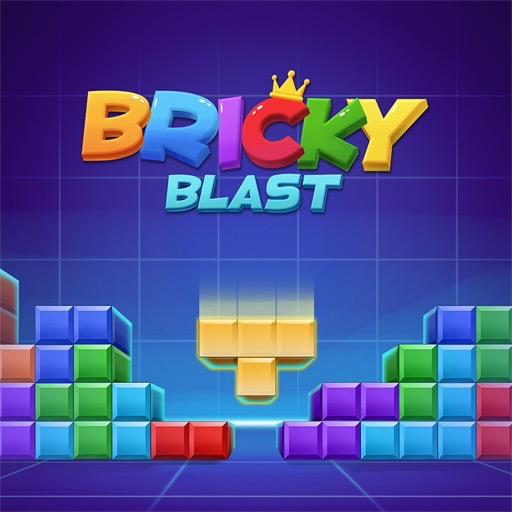
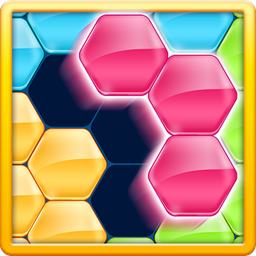
Bricky Blast is a colorful block puzzle that asks players to fit solid shapes into a square grid, complete clearable patterns, and work through increasingly demanding objectives. The available pieces arrive in different arrangements, and each one must be placed into open cells. Filling a complete row or column removes those blocks, creates space, and pushes the current score or level goal forward.
The presentation is bright and arcade-like, but the underlying decisions are spatial. A piece that fits now may divide the remaining area into unusable pockets. A more careful placement can prepare two lines at once and create a larger blast when the final cells are filled. Because the board has limited capacity, every move affects the shapes that can be accepted later.
The original page introduces Bricky Blast as a level-clearing puzzle adventure rather than merely a decoration-matching game. That structure gives each board a sense of direction while preserving the easy drag-and-place interaction associated with block puzzles. Players do not need fast reflexes; they need to compare pieces, recognize line opportunities, and protect flexible open regions. Bricky Blast works well for casual players who enjoy immediate visual rewards and for puzzle fans interested in efficient placement. It is simple enough for a quick break, but later arrangements can demand several moves of preparation before the satisfying chain of cleared blocks arrives.
Key Details:
| Genre: | Block Puzzle / Casual Strategy |
| Difficulty Level: | Easy to Hard across progression |
| Average Play Time: | 5–15 minutes per session |
| Best For: | Casual puzzle fans, spatial planners, and players who enjoy colorful line clears |
2. How to Play Bricky Blast
Getting Started:
- Inspect the block pieces offered by the game and the empty regions on the grid.
- Drag a piece to a legal position where all its cells fit.
- Complete full rows or columns to blast them away.
- Use the cleared space for larger or less flexible pieces.
- Meet the score or clearing objective shown for the current level or run.
Basic Controls:
- Mouse: Click-drag a piece onto the grid.
- Touchscreen: Press, drag, and release the shape over open cells.
Objective: Clear blocks efficiently, preserve usable board space, and complete the current challenge before no legal placement remains.
3. Bricky Blast Features & Highlights
- ✓ Bright block effects make successful clears easy to recognize
- ✓ Fixed-shape placement rewards planning without time pressure
- ✓ Row and column blasts create satisfying board transformations
- ✓ Progressive challenges add purpose beyond one isolated move
- ✓ Mouse and touch dragging keep the game accessible
4. Bricky Blast Tips & Strategies
Beginner Tips:
- Compare every offered piece before placing the smallest one.
- Keep at least one broad open area for square and irregular shapes.
- Build rows and columns together so a single placement can help both.
Advanced Strategies:
- Prepare intersecting lines for a multi-direction clear.
- Place the most constrained shape first, then use flexible pieces around it.
- Avoid surface patterns that create one-cell holes or narrow unusable channels.
What to Watch Out For:
- Immediate points can be misleading if the placement fragments the rest of the board.
- Filling the center without a plan removes many placement options at once.
5. Bricky Blast Game Elements Explained
Shape Placement and Grid Management: Every piece has a fixed footprint that must fit entirely inside empty cells. The key resource is not just the number of open squares but the geometry they form. A large clean rectangle can accept many future pieces, while scattered gaps may accept none. Before dragging a block, compare its outline with both the current board and the other available shapes. Start with the piece that has the fewest legal positions. If a large L or square has only one useful home, reserve or use that space before placing a simple bar that could go almost anywhere. Build compactly, keeping edges smooth and avoiding enclosed holes. The center is valuable because it supports shapes extending in several directions, so filling it carelessly reduces flexibility. Legal placement is only the first test; a good move should also improve a line, preserve open structure, or prepare the next piece. Over time, strong board management makes difficult-looking sets manageable because the grid remains organized enough to absorb them.
Blasts, Objectives, and Progression: Full horizontal and vertical lines are the basic clearing units. When completed, they blast away and release their cells for new blocks. A placement at an intersection can finish more than one line, giving greater clearing value and restoring a larger connected area. Level or run objectives shown by the game may emphasize score, clearing, or survival, but all depend on creating space efficiently. Plan blasts rather than waiting for them accidentally. Leave a small number of deliberate gaps in nearly complete lines and match those gaps to upcoming shapes. Do not prepare so many unfinished lines that the board fills before any can close. Progression introduces trickier piece combinations and tighter decisions, so the safe strategy evolves from simple single-line clears toward multi-move setups. If a level fails, identify whether the problem was a specific awkward piece or gradual fragmentation. On the next attempt, protect the region that shape needed. Each blast should solve the current board while also making the following placements easier.
6. Bricky Blast Frequently Asked Questions
Q: How do I clear blocks?
A: Fill every cell in a horizontal row or vertical column. The completed line then blasts away automatically.
Q: What should I do if none of the pieces seems to fit?
A: Recheck all rotations shown by the fixed shapes and look for a line clear from another piece. If no legal move exists, the run or level must be restarted.
Q: Is Bricky Blast compatible with mobile and desktop browsers?
A: The embedded Unity game uses drag-style placement and can run in current desktop or mobile browsers that support WebGL.
Q: Can I save my progress?
A: The source does not document cloud synchronization. Level progress may be stored locally, so avoid clearing browser data if you want to retain it.
Q: How do I unlock more difficult challenges?
A: Complete the current objectives and continue through the game's progression. The original page describes increasingly tricky levels but no separate paid unlock.