



1. Checkers Multiplayer Game Overview
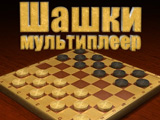
Checkers Multiplayer brings the classic light-versus-dark board game to solo and online play on 8x8 or 10x10 boards. Players move in alternating turns, advance ordinary pieces across diagonal lanes, jump opposing pieces to remove them, and try to reach the far side for promotion. A promoted king gains broader movement options and can turn a nearly lost position into a new attack.
The game supports computer practice as well as Internet matches. In multiplayer, players enter a name and can join an existing room, request a random opponent, or create a private room and wait for someone specific. That room structure makes the game useful both for quick matchmaking and planned challenges with a friend. Completing matches also adds account experience according to the source page, giving regular play a visible progression loop.
Checkers is easy to recognize but rewards long-term calculation. Capturing one piece may open a forced reply; protecting the back rank may delay the opponent's kings; moving too many pieces to one side can leave the other wing undefended. Online opponents make these patterns less predictable than a fixed puzzle because each person values trades and promotion differently. Checkers Multiplayer is ideal for abstract-strategy learners, families familiar with the physical board, and competitive players who want a match without installing a separate app.
Key Details:
| Genre: | Abstract Board / Checkers / Online Multiplayer |
| Difficulty Level: | Easy to learn, Hard to master |
| Average Play Time: | 8–25 minutes |
| Best For: | Traditional board-game fans, strategy learners, and online competitors |
2. How to Play Checkers Multiplayer
Getting Started:
- Choose a solo game or enter online multiplayer.
- In online mode, enter a name and join, create, or randomly select a room.
- Select one of your pieces and choose a highlighted legal destination.
- Jump enemy pieces when a legal capture is available.
- Remove the opposing force or leave it without legal moves while promoting pieces into kings.
Basic Controls:
- Mouse: Click a piece, then a highlighted destination square.
- Touchscreen: Tap the piece and destination.
Objective: Defeat the opponent by capturing their pieces or preventing legal movement, using promotion to strengthen your endgame.
3. Checkers Multiplayer Features & Highlights
- ✓ Solo and online modes support both practice and human competition
- ✓ Existing, random, and private rooms offer flexible matchmaking
- ✓ 8x8 or 10x10 boards provide classic strategic layouts
- ✓ King promotion creates meaningful comeback opportunities
- ✓ Match completion contributes to account experience
4. Checkers Multiplayer Tips & Strategies
Beginner Tips:
- Keep pieces connected so one move can be protected by another.
- Check all available jumps before making a quiet move.
- Preserve some back-rank coverage until the opponent's promotion routes are controlled.
Advanced Strategies:
- Offer a piece only when the forced capture leads to a stronger reply.
- Build tempo moves that advance without breaking the defensive formation.
- Guide trades toward an endgame where your promotion race is shorter.
What to Watch Out For:
- Board size and rule variant can change capture details, so follow highlighted legal moves.
- Advancing one isolated piece usually makes it an easy target before promotion.
5. Checkers Multiplayer Game Elements Explained
Movement, Captures, and Board Structure: Ordinary checkers occupy one color of square and generally advance diagonally toward the opponent's side. A capture occurs by jumping over an adjacent opposing piece into an empty square beyond it. The captured piece is removed. If another legal jump follows, the game may require or allow the sequence to continue according to the selected rules; use the highlighted path as the authority for this build. Board structure matters because checkers are strongest in connected diagonal groups. A piece with friendly support can punish an opponent that captures or approaches carelessly. Edges reduce the directions from which a piece can be attacked, but they also limit its own route. Maintain a balance between center influence and safe formation. Before moving, scan for mandatory captures, possible enemy jumps, and the landing square after an exchange. A move that gains one piece but opens a multi-jump against your remaining row may be unfavorable. Strategic checkers play treats every diagonal as a lane whose control can be exchanged, blocked, or opened for promotion.
Kings, Matchmaking, and Experience: Reaching the far side promotes an ordinary checker into a king. Kings can move in expanded directions under the chosen variant, allowing them to retreat, defend both wings, and chase isolated pieces. Promotion is therefore both an objective and a threat that shapes the midgame. Do not race blindly; a protected route is more valuable than a fast piece that is captured one step short. Online mode adds a second system around the board. Entering a name lets players join rooms, use random matchmaking, or create a private table. Random rooms are convenient for fast games, while private rooms are better for a known opponent. The source states that completed games add account experience, rewarding participation beyond one result. Experience should not replace good match selection: connection quality and a clear room setup matter more than rushing. Against new opponents, use the opening to observe whether they favor aggressive trades or cautious promotion. Then adapt the king race and exchange pattern accordingly.
6. Checkers Multiplayer Frequently Asked Questions
Q: How do I move or capture a piece?
A: Select one of your checkers and choose a highlighted square. For a capture, jump over an adjacent enemy into the legal empty square beyond it.
Q: What should I do if no piece seems movable?
A: Check for a required capture elsewhere. If the game confirms that no legal move exists, the position is lost.
Q: Is Checkers Multiplayer compatible with mobile and desktop browsers?
A: Yes. The source lists Web Browser support on PC and Android/iOS mobile devices.
Q: Can I save my progress?
A: Account experience may persist, but the source does not document pausing and restoring an active match. Finish online games in one session.
Q: How do I unlock a king?
A: Move an ordinary checker to the farthest row on the opponent's side. Promotion happens automatically.