

1. Minesweeper Game Overview
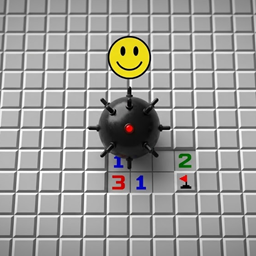
Minesweeper is a classic logic puzzle played on a concealed grid. Some cells hide mines, while every safe cell either displays a number or opens as blank space. The goal is to reveal all safe cells without clicking a mine. A number tells exactly how many mines exist in the eight surrounding cells, turning every reveal into a clue for the next deduction.
The game begins with an apparently uniform field, but one safe click can expose a large empty region and create a boundary of numbered clues. From there, players compare numbers with nearby hidden cells and placed flags. If a “1” touches only one unrevealed square, that square must contain a mine. If all mines around a clue have already been flagged, its other neighboring cells are safe. Solving is a chain of these local certainties rather than a test of reaction speed.
This version offers standard Beginner, Medium, and Expert boards plus a Custom option. Beginner uses a 9x9 grid with 10 mines, Medium uses 16x16 with 40, and Expert uses a 30x16 field with 99. The original page also specifies that the first click is protected, preventing an instant loss. Minesweeper remains compelling because its rules are compact but its patterns grow with the board. It suits patient puzzle players, speed solvers, and anyone who enjoys turning incomplete information into a fully proven map.
Key Details:
| Genre: | Logic / Grid Puzzle |
| Difficulty Level: | Variable |
| Average Play Time: | 3–25 minutes |
| Best For: | Logic fans, careful thinkers, and players pursuing faster solution times |
2. How to Play Minesweeper
Getting Started:
- Choose Beginner, Medium, Expert, or a Custom grid.
- Reveal a starting cell; the source version guarantees that the first click is safe.
- Read each number as the count of mines in its surrounding eight cells.
- Flag cells that must be mines and reveal cells proven safe.
- Continue until every non-mine cell has been opened.
Basic Controls:
- Desktop: Left-click to reveal; right-click to place or remove a flag.
- Mobile: Tap to reveal; long-press to flag.
Objective: Clear every safe square without triggering any mine. Flags assist reasoning but the board is won by correctly revealing all non-mine cells.
3. Minesweeper Features & Highlights
- ✓ Four difficulty options range from a compact beginner board to custom layouts
- ✓ Number clues support pure logical deduction rather than trivia or memorization
- ✓ First-click protection prevents unfair immediate losses
- ✓ Mouse and touch controls support desktop and mobile play
- ✓ Randomized mine placement makes the same board size replayable
4. Minesweeper Tips & Strategies
Beginner Tips:
- Start near an edge or corner to increase the chance of opening a readable boundary.
- Count flags and hidden cells around one clue before moving to another area.
- Use flags only for confirmed mines, not uncertain guesses.
Advanced Strategies:
- Compare overlapping clue neighborhoods to identify cells that one clue includes and another does not.
- Clear all proven-safe neighbors after satisfying a numbered clue.
- On large boards, work along the active frontier instead of scanning the entire field randomly.
What to Watch Out For:
- An incorrect flag corrupts later deductions even if it does not immediately end the game.
- Rare ambiguous positions may require a probability choice; do not confuse them with overlooked logic.
5. Minesweeper Game Elements Explained
Number Clues and Deduction Patterns: A revealed number counts mines in every adjacent cell, including diagonals. The clue is exact, not an estimate. Suppose a revealed “1” touches one flagged mine and three other hidden cells; those other cells are safe because the clue's mine requirement is already satisfied. Conversely, if a “2” touches exactly two unrevealed cells, both must be mines. More advanced solutions compare overlapping neighborhoods. If one clue needs one mine among two cells and an adjacent clue needs one mine among those same two plus a third cell, the third cell is safe. These subset relationships let players solve patterns that are not obvious from a single number. Move slowly enough to count accurately, especially around corners where cells have fewer neighbors. After every confirmed mine or safe reveal, revisit nearby clues because their remaining requirements have changed. Minesweeper is best understood as constraint propagation: each small certainty reduces the possibilities around it until the safe route across the board becomes visible.
Flags, Blank Areas, and Difficulty Settings: Flags are annotations placed on cells believed to contain mines. They prevent accidental clicks and make clue arithmetic easier, but placing every flag is not itself the victory condition. The essential task is opening all safe cells. Blank cells represent zero adjacent mines; revealing one automatically opens connected zero areas and their numbered boundary, creating a large information zone from a single action. Board settings control scale and density. Beginner's 9x9 field with 10 mines is excellent for learning basic patterns. Medium's 16x16 grid with 40 mines requires more frontier management, and Expert's 30x16 board with 99 mines combines long deduction chains with occasional ambiguous regions. Custom mode lets players adjust dimensions and mine count for practice or experimentation. Larger is not always logically harder; mine density and initial openings also shape the puzzle. Choose a level where you can solve carefully, then increase difficulty once flag placement and neighbor counting feel automatic. Speed should come from pattern recognition, not from skipping verification.
6. Minesweeper Frequently Asked Questions
Q: How do I place a flag?
A: Right-click a hidden cell on desktop. On a phone or tablet, long-press the cell. Repeat the action to remove it when necessary.
Q: What should I do if I am forced to guess?
A: Recheck overlapping clues elsewhere first. If the position is truly ambiguous, choose the cell with the lower estimated mine probability.
Q: Is Minesweeper compatible with mobile and desktop browsers?
A: Yes. The original page documents desktop clicks and mobile tap/long-press controls, with landscape orientation recommended for wide boards.
Q: Can I save my progress?
A: The source does not describe a cloud-save feature. Treat an active board as session-based and avoid closing the page before finishing.
Q: How do I unlock Expert or Custom mode?
A: Select the desired board from the difficulty menu. These are presented as standard options rather than achievement rewards.