


1. Eg UNO IO Game Overview
EG Uno IO is a flexible, fully-featured online Uno game that gives you the choice every session: test your skills against polished AI competition, or jump into live multiplayer and face real players from around the world. Whichever mode you choose, the familiar and beloved Uno gameplay — match colors and numbers, shed your hand first, use special cards to disrupt everyone else — is all here in a clean, accessible package.
The dual-mode structure is EG Uno IO's defining feature. The Computer mode offers a consistently challenging practice environment with three AI opponents who play sophisticated, rule-accurate Uno. This mode is ideal for building strategic instincts, experimenting with different special card timings, and developing the pattern recognition that makes you dangerous when you graduate to live opponents. The Online mode puts all those sharpened skills to the test against actual players making unpredictable decisions — which is where Uno's real excitement lives.
What makes EG Uno IO stand out in the crowded Uno-style game space is its commitment to the complete, uncompromised Uno experience rather than simplified or altered rulesets. All the mechanics that make Uno genuinely strategic are present: the color and number matching, the full suite of special cards, the hand management, the timing of disruptive plays. Whether you're a veteran Uno player or someone discovering the game for the first time, EG Uno IO is a reliable, well-built entry point.
Key Details:
| Genre: | Card Game / Multiplayer |
| Difficulty Level: | Easy to Medium |
| Average Play Time: | 10–20 minutes per match |
| Best For: | Uno fans of all experience levels; great for both solo practice against AI and live competitive multiplayer sessions |
2. How to Play Eg UNO IO
Getting Started:
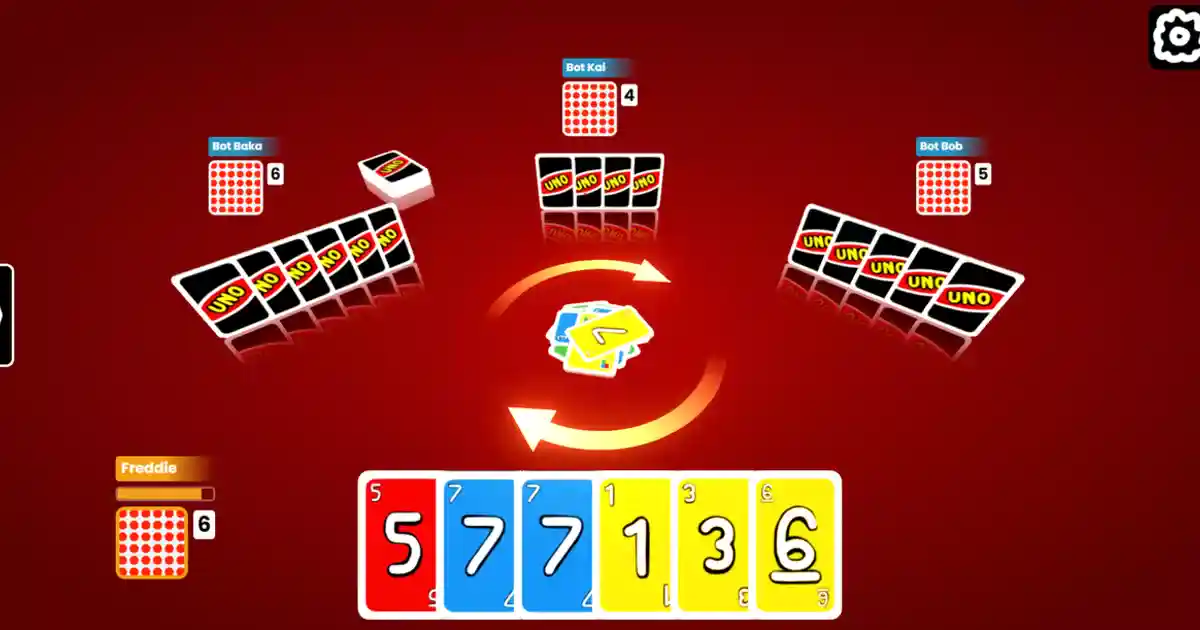
- Choose your mode: Computer (vs. 3 AI opponents) or Online (vs. live players).
- Cards are dealt to all players — aim to empty your hand before anyone else.
- On your turn, play a card matching the discard pile's current color or number.
- If no valid card is available, draw from the deck until you find one.
- Use special cards to disrupt opponents and accelerate your path to an empty hand.
Basic Controls:
- Click / Tap Card: Select and play a valid card from your hand.
- Click / Tap Deck: Draw from the pile when you have no playable card.
- Mode Selection: Choose Computer or Online from the main menu before each session.
Objective: Be the first player to discard every card in your hand. Use color and number matching combined with strategic deployment of special action cards to outpace your opponents. The same winning condition applies in both Computer and Online modes.
3. Eg UNO IO Features & Highlights
- ✓ Dual game modes — choose between polished AI competition or live online multiplayer each session
- ✓ Complete Uno ruleset — all standard Uno mechanics faithfully implemented without simplified shortcuts
- ✓ Challenging AI opponents — three computer players in Computer mode with sophisticated rule-accurate play
- ✓ Global online matchmaking — connect with live players worldwide in Online mode for genuine competitive play
- ✓ Accessible for all skill levels — intuitive rules and clean interface welcome newcomers while satisfying veterans
4. Eg UNO IO Tips & Strategies
Beginner Tips:
- Use Computer mode to develop your instincts before going online. The AI opponents play accurately and consistently, making them excellent teachers. Spend time in Computer mode learning when to use each type of special card before facing the unpredictability of live opponents.
- Keep color diversity in your hand. Holding cards of multiple colors gives you more options when the discard pile color changes — either through someone else's color-change card or through normal play cycling. A hand with only one color is vulnerable.
- Draw immediately when you have no valid play. Hesitating doesn't help — if you have nothing to play, draw without delay. The sooner you find a valid card, the sooner control returns to productive hand management.
Advanced Strategies:
- Play your largest hand reductions strategically. A turn that eliminates three cards from your hand via a sequence of valid plays is worth considerably more than a turn that removes one. Look for sequences of matching cards in your hand before playing your first card.
- In Online mode, read pace as a tell. Live players who hesitate before playing often have limited options. Players who act instantly likely have strong hands. Use opponent response speed as informal information about their hand state.
- Deploy Draw cards as blockers, not just damage. Draw Two and Draw Four cards are most valuable when played against a player with one or two cards remaining — not as immediate damage against someone with a full hand. Save them to block near-winners.
What to Watch Out For:
- Mono-color hands. If you play down to all cards of the same color, a single opponent color-change play can leave you completely unable to play for multiple turns. Maintain at least some color variety in your hand at all times.
- Underestimating the AI in Computer mode. EG Uno IO's AI opponents play accurate, strategic Uno. New players who expect pushover bots will find themselves surprised by how quickly a well-timed computer Draw Four can reverse a winning position.
5. Eg UNO IO Game Elements Explained
The Computer Mode AI System: EG Uno IO's Computer mode features three AI opponents who play authentic, rule-accurate Uno with a level of strategic sophistication that provides genuine challenge. These aren't simple bots that play the first valid card they find — they make deliberate decisions about when to hold special cards, when to change colors, and when to target specific opponents. This makes Computer mode a legitimately useful practice environment rather than just a warm-up. The three AI characters play simultaneously, meaning the turn order dynamics of a full four-player game — where someone always benefits from someone else's disruption — apply fully even in solo computer matches. Mastering Computer mode builds the multi-opponent awareness essential for Online mode success.
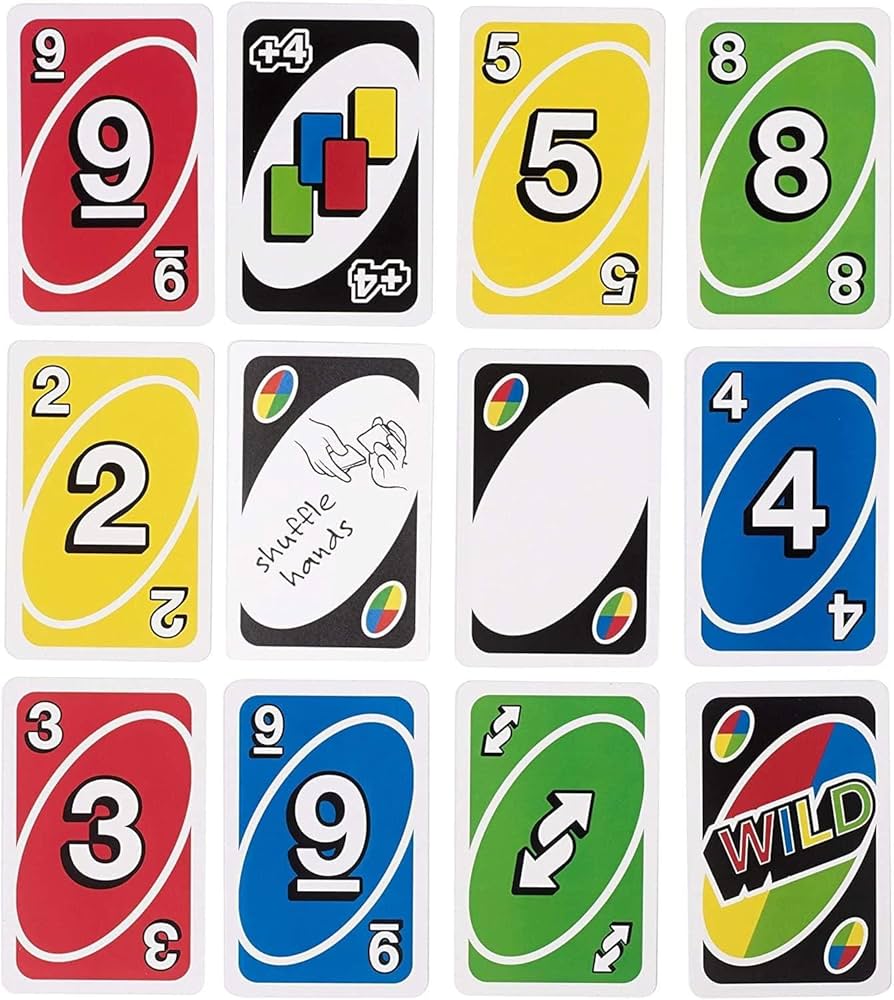
The Card Matching System: The core of EG Uno IO's gameplay is sequential color and number matching. On your turn, the card you play must share either the color or the number/symbol of the top card on the discard pile. A blue 7 can be followed by any blue card (color match) or any 7 of any color (number match). Special action cards (Skip, Reverse, Draw Two) match by both color and symbol type. Wild cards can be played on anything. This dual-matching rule gives every player more options than a pure single-attribute match system, but the constraint is tight enough that hand composition — which cards you hold and in what colors — remains a meaningful strategic concern throughout each match.
The Special Card Impact System: Special action cards are the game-changers that make Uno something richer than a pure matching race. EG Uno IO includes the full standard special card set: Skip removes an opponent's turn, Reverse changes play direction (more impactful in larger games), Draw Two forces the next player to draw and skip, Wild lets you declare the new active color, and Wild Draw Four both changes color and forces the next player to draw four cards and lose their turn. The strategic depth of special cards lies entirely in their timing — a Draw Four played against a player with 15 cards does far less work than the same card played against someone at two cards remaining. Developing the instinct for when to spend versus hold these cards is the primary skill that separates consistent winners from average players.
6. Eg UNO IO Frequently Asked Questions
Q: What's the difference between Computer mode and Online mode?
A: Computer mode matches you against three AI opponents for a consistent, practice-oriented experience with no waiting for other players. Online mode connects you with live human players for genuine competitive unpredictability and the full social dynamics of multiplayer Uno.
Q: Can I practice before playing Online?
A: Yes — Computer mode is an excellent practice environment. The AI plays accurate Uno, making it useful for developing your strategy and special card timing before entering Online matches.
Q: How do I win if a Draw Two or Draw Four is played against me?
A: Draw the required cards and skip your turn — you can't dodge penalty cards in standard Uno rules. Focus on rebuilding your hand efficiently after the penalty; large hands can be reduced quickly with good matching sequences.
Q: Is EG Uno IO available on mobile?
A: Yes — the game uses click and touch controls and runs in mobile browsers without requiring a download. The interface is designed to work on both desktop and touchscreen devices.
Q: How many players are in an Online mode match?
A: Online mode matches follow standard Uno multi-player formatting. Specific player counts may vary by lobby — check the online lobby interface for current match configurations.